IP/MAC Address Filter
The address filter decides whether to allow or forbid specific IP/MAC address to get access to your device.
-
Go to .
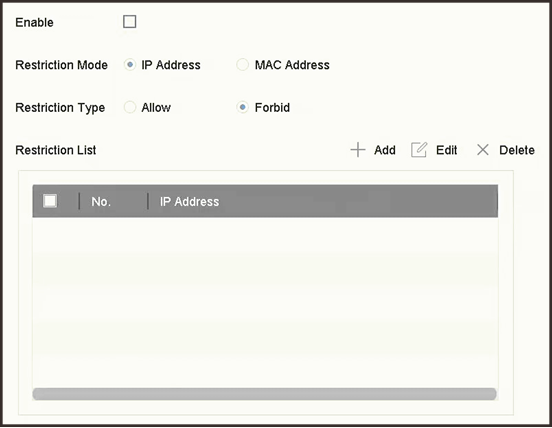 Figure 1 Address Filter
The address filter decides whether to allow or forbid specific IP/MAC address to get access to your device.
Figure 1 Address Filter