Configure SNMP
You can configure SNMP (SNMP v2 and SNMP v3) settings to get device status and parameter information via web browser. SNMP v3 adds cryptographic security to SNMP v2, and provides security with authentication and privacy.
Download the SNMP software to receive device information via the SNMP port. By setting the trap address and port, the device is allowed to send alarm events and exception messages to the center.
-
Go to via web browser.
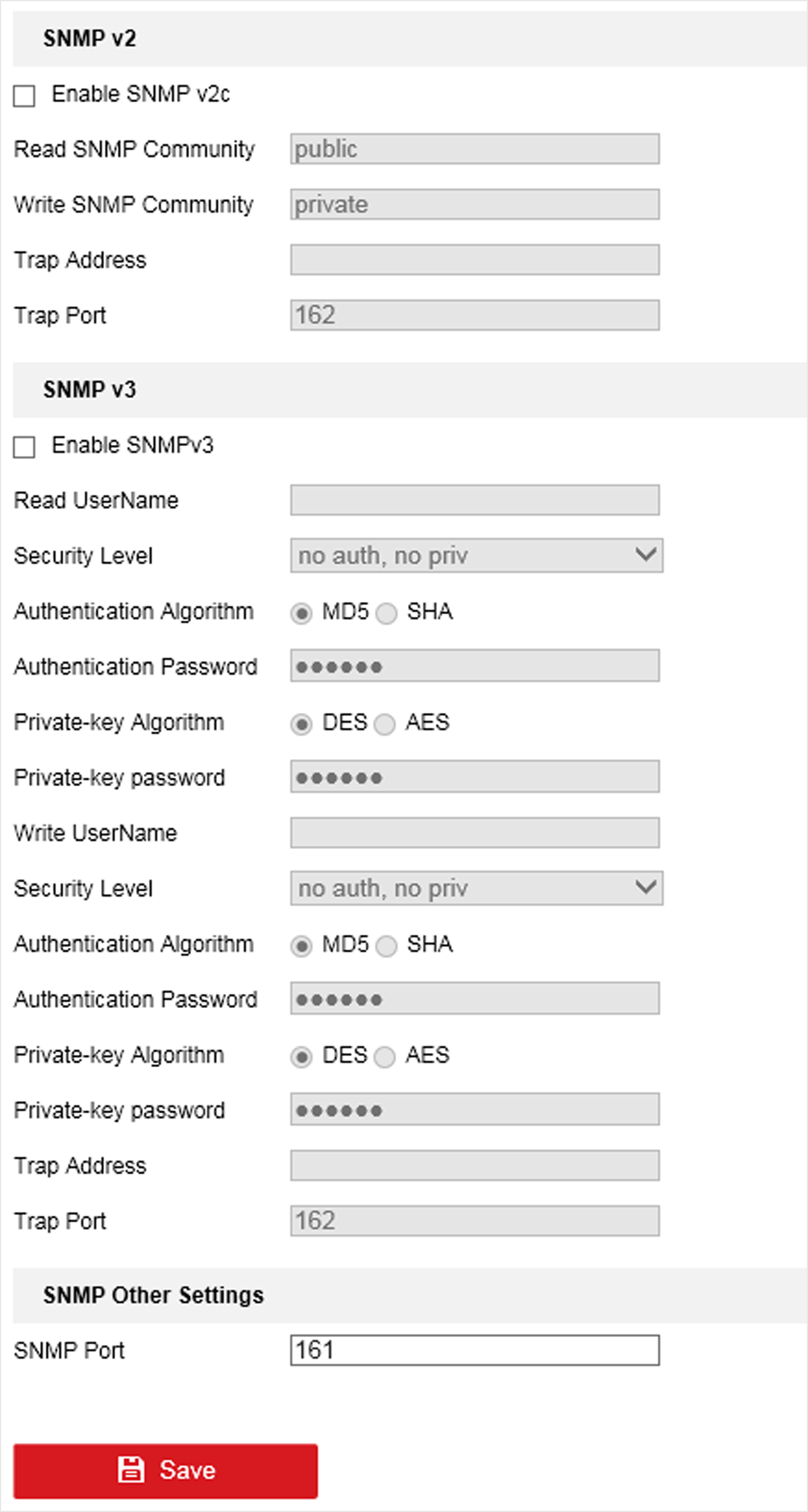 Figure 1 SNMP Settings