S.M.A.R.T. Detection
HDD detection functions such as the adopting of the S.M.A.R.T. and the Bad Sector Detection techniques. S.M.A.R.T. (Self-Monitoring, Analysis, and Reporting Technology) are HDD monitoring systems to detect various reliability indicators in the hopes of anticipating failures.
-
Click Self-Test to start the S.M.A.R.T. HDD
self-evaluation.
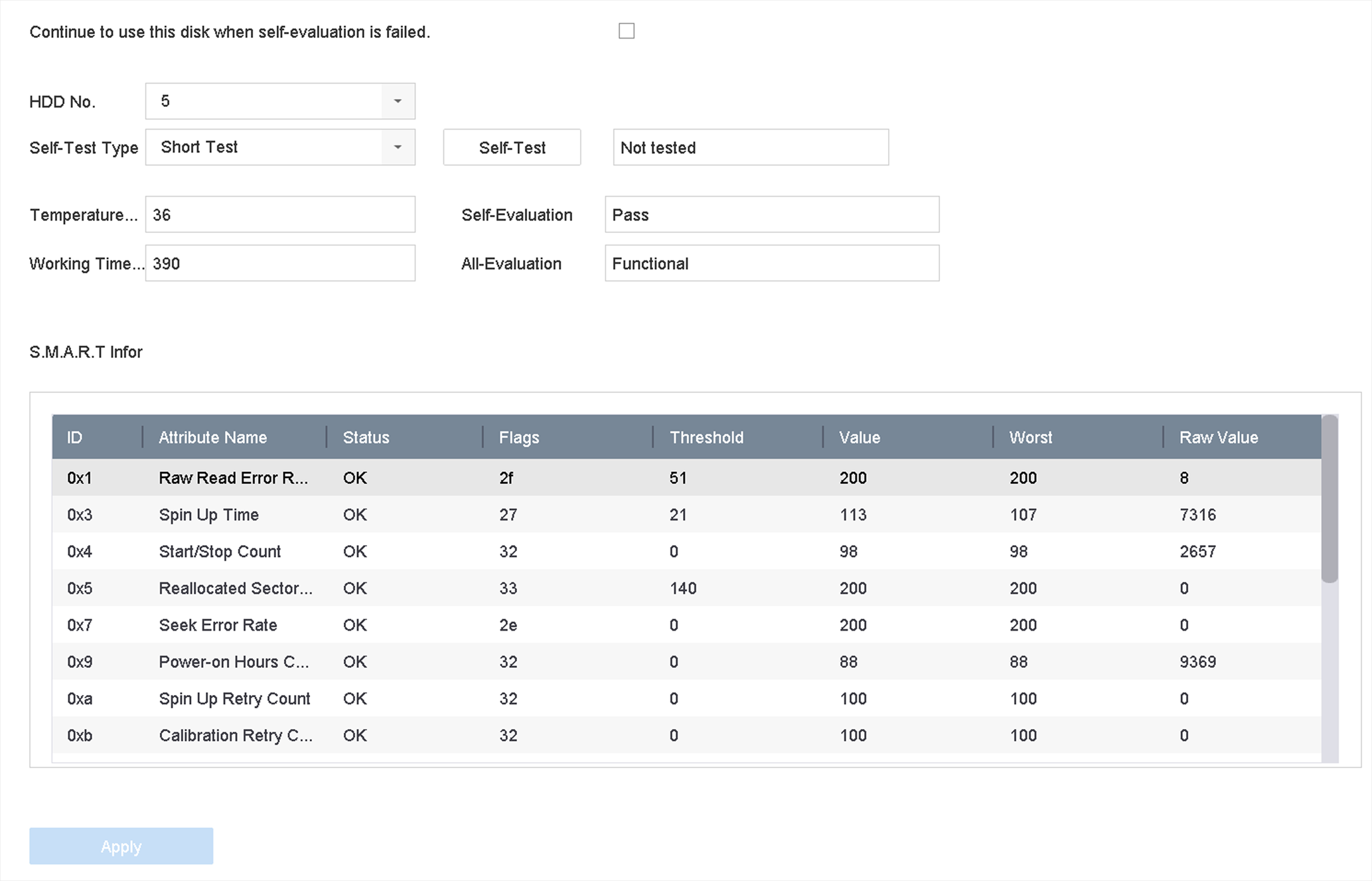 Figure 1 S.M.A.R.T. Settings
InterfaceNote:
Figure 1 S.M.A.R.T. Settings
InterfaceNote:To use the HDD even when the S.M.A.R.T. checking has failed, check Continue to use the disk when self-evaluation is failed.
The related information of the S.M.A.R.T. is shown, and you can check the HDD status.